
Arête
Track your time directly from the menu bar. Backed by the power of TimeWarrior.
Free & open source · macOS 12+ · Apple Silicon
Track your time directly from the menu bar. Backed by the power of TimeWarrior.
Free & open source · macOS 12+ · Apple Silicon
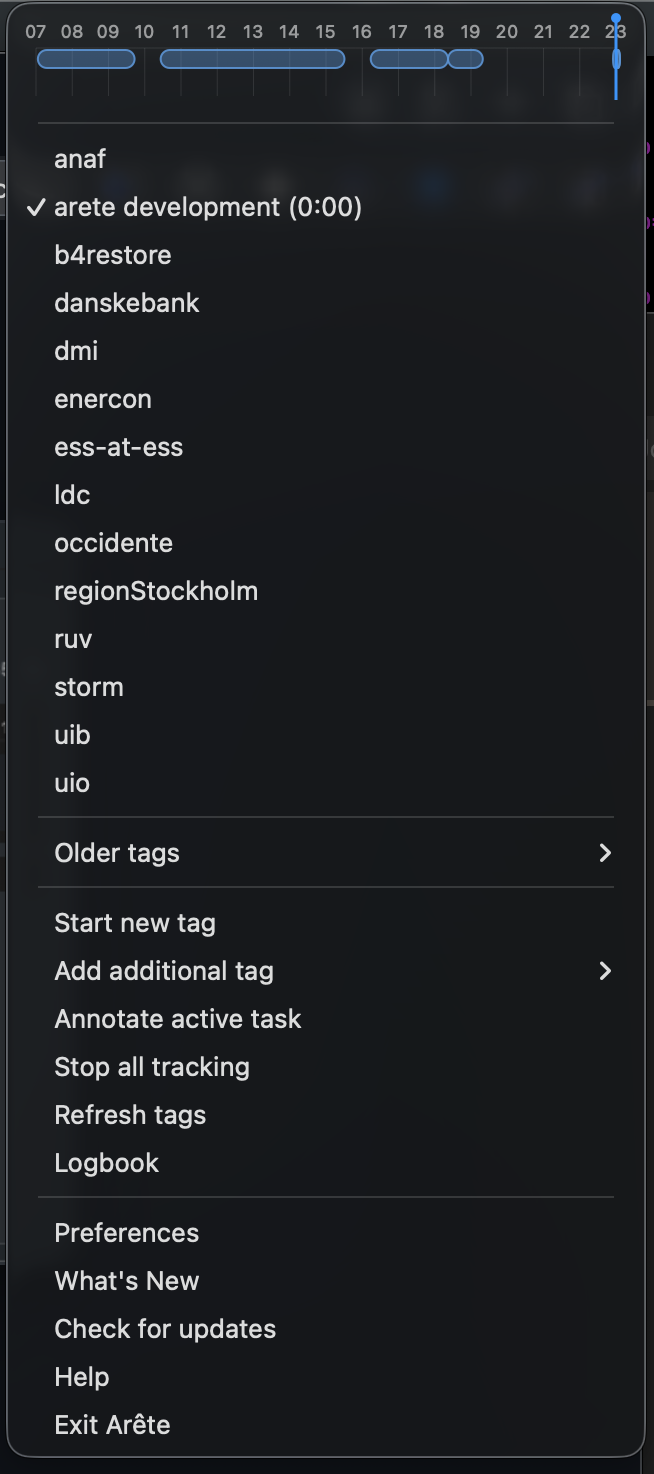
Click any tag to start tracking. Click it again to stop. No terminal required.
Today's intervals rendered directly inside the menu, with a live "now" indicator updating every 5 seconds.
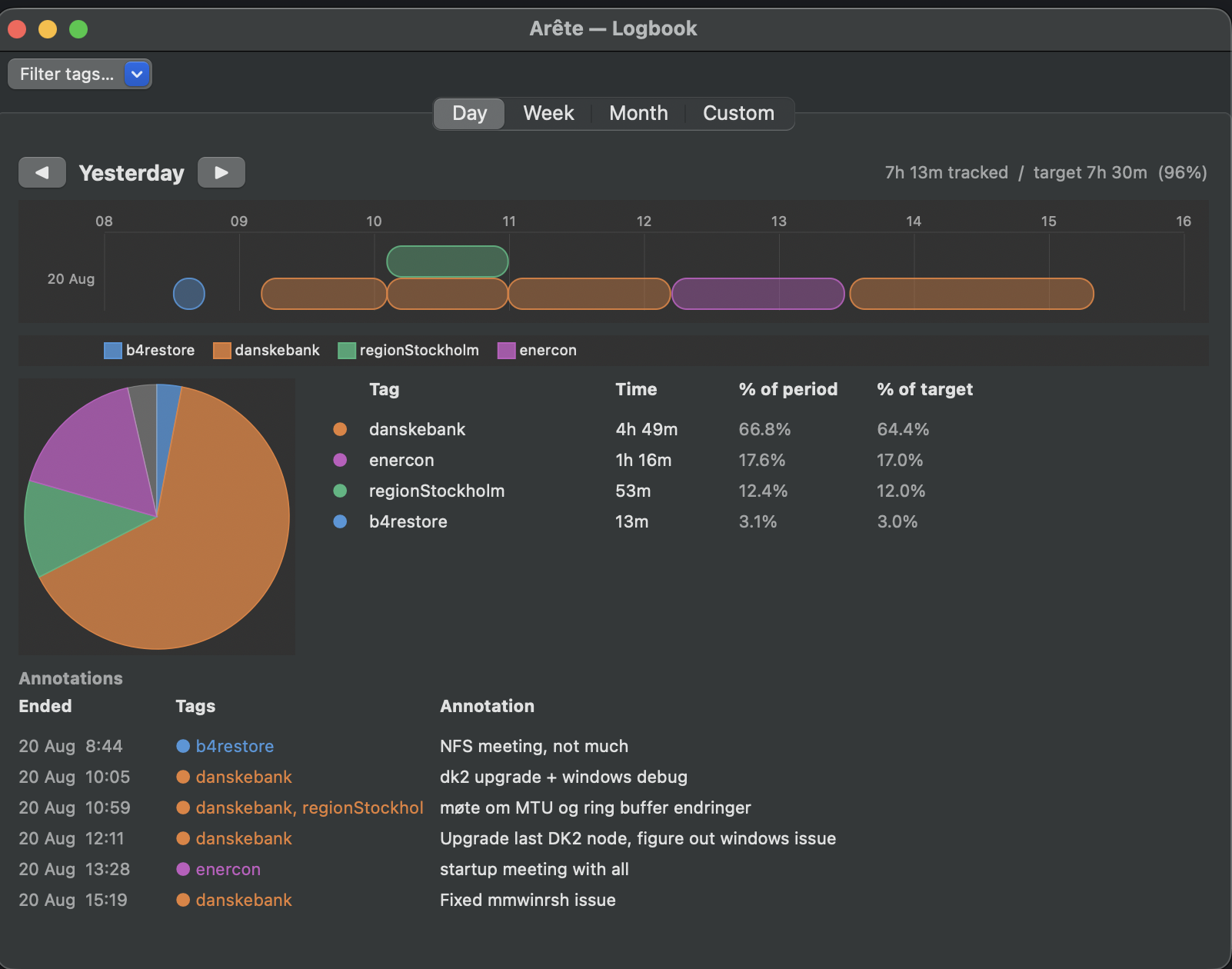
Day, Week, Month and custom-range views with interactive timeline, pie chart, tag summary table, and PDF export. Also ships as a standalone Arête Logbook.app — useful if you only want reporting without the menu bar applet.
Attach notes to any interval from the menu bar or the timeline. Optionally prompted automatically on stop.
Stop tracking automatically when your screen locks and resume the exact same tags on unlock.
Use the "Add tag…" submenu to add a second tag alongside the one already running.
Wraps timew — every action maps to a real TimeWarrior command. Use the CLI alongside the app freely.
Register Arête as a login item from within Preferences — no System Settings digging required.
Set your daily hour goal. The logbook shows your progress as a percentage of target alongside each tag.
Drag the edge of any bar in the timeline to move its start or end time. Or right-click → Edit interval for a full-day scrubber with precise minute control.
Download Arete.dmg and open it.
Drag Arete.app (and optionally Arête Logbook.app) into the Applications shortcut in the disk image.
Double-click the app. On first launch macOS may show an "unidentified developer" warning — see below.
xattr -dr com.apple.quarantine /Applications/Arete.app in Terminal.
:adjust.Arête is free. If it saves you time, a coffee is always appreciated.
☕ Buy me a coffee